01 / CAPTURE
Give the conversation your attention.
Record with your microphone or import a WAV, MP3 or M4A file. On Windows, capture system audio alongside your microphone.
 recapp
YOUR CONVERSATIONS. YOUR KNOWLEDGE.
Turn conversations into connected notes. Record, transcribe and find the next step — with AI that runs on your device.
Public previewWindows · Android · iPhone
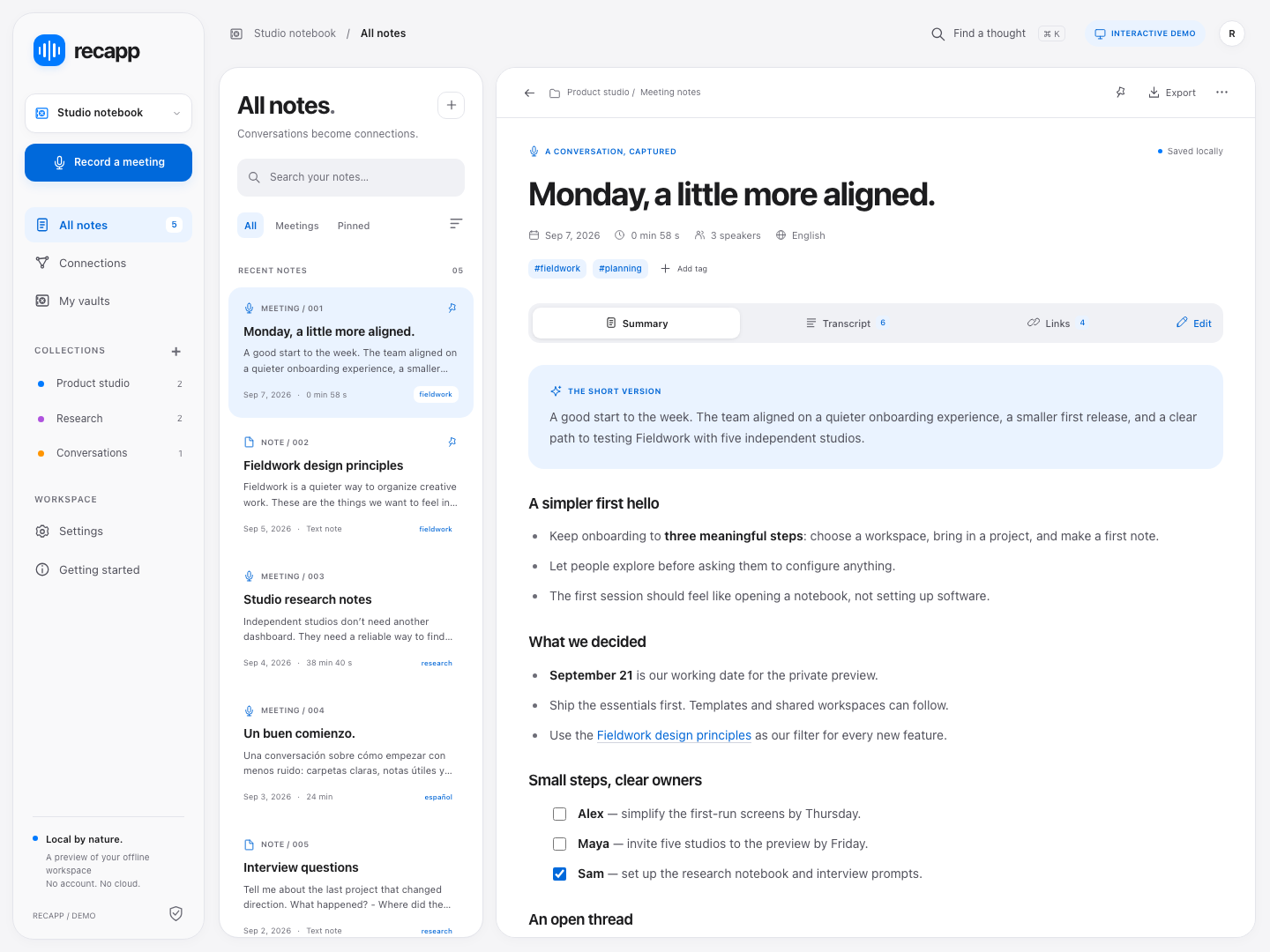
How it works
01 / CAPTURE
Record with your microphone or import a WAV, MP3 or M4A file. On Windows, capture system audio alongside your microphone.
02 / UNDERSTAND
Read the transcript, review a summary and ask questions with references back to your meeting. Everything is processed locally.
03 / CONNECT
Bring related notes together with links, backlinks and a graph. Keep different projects in their own vaults.
A VAULT YOU ACTUALLY OWN
Each vault is a folder of readable .md files. Open them in another editor, keep your own backups or take the whole folder with you. Recapp is a standalone app; no other note-taking app is required.
# Product review

## Next steps
- [ ] Review the prototype
- [ ] Confirm the launch date

Related: [Launch plan](launch-plan.md)
LOCAL BY DESIGN
The first launch downloads the AI models (about 1.82 GB). After setup, transcription, summaries and note chat work without an internet connection. Audio and notes are not sent to an AI service.
Azure hosts this website, app downloads and model files. Your vault remains on your device. There is no Recapp account, cloud vault or automatic cloud sync.
Recapp
Choose your device. These are preview builds: review generated notes against the recording and keep backups of important vaults.
Checking available builds…
x64
No public build is available yet.
Preview ZIP with Recapp.App.exe; not code-signed. Windows may identify the publisher as unknown. Extract the entire folder before running.
ARM64
No public build is available yet.
Preview APK signed with the Recapp preview key. Direct installation requires allowing this download source in Android settings.
iOS
iPhone distribution will use TestFlight or the App Store after Apple signing is configured. An iOS simulator build cannot be installed on an iPhone.
Yes, after the initial model download. Recording and your vault stay local. Downloading the app, models or updates needs an internet connection.
No. Recapp is standalone and uses plain Markdown files. It does not require a Recapp account or another note-taking app.
Yes. The interface supports English and Spanish, with a device language option. Choose the notes language separately. Existing notes are not translated when you change the interface language.
Yes. Choose Light, Dark or Device in settings. The website offers the same appearance choices.
This is a preview. AI can miss or misinterpret details, and processing time depends on your device. Check the transcript and original audio before acting on a summary.
It lets you explore the workspace with fictional notes. Recording, downloads and AI responses are simulated in the demo; native apps perform the actual local processing.